
June 23, 2026
How to Verify a Timestamp (.ots) Proof
Got a file and a .ots proof? Here's how to verify a timestamp against the Bitcoin blockchain — check the hash, read the result, and trust the date.
A timestamp proof is only worth something if someone can actually check it. You have a file and a small .ots file sitting beside it, and someone — a client, a court, your future self — needs to confirm that the document truly existed before a certain date. The good news: you don't have to trust whoever made the proof, and you don't need a Bitcoin node or a command line. To verify a timestamp, you hand the verifier the original file and its .ots proof, and it tells you exactly when the Bitcoin blockchain first recorded that file's fingerprint. This guide walks through it.
What You'll Need
- The original, unmodified file — the exact bytes that were timestamped
- Its
.otsproof file — usually namedyourfile.pdf.ots - Any web browser
The "unmodified" part matters more than people expect. A timestamp is bound to one precise version of a file. Re-saving a PDF, re-exporting an image, or even fixing a typo produces a different file with a different hash — and the proof will no longer match. More on that below.
Verify a Proof in Three Steps
Step 1: Open the verifier
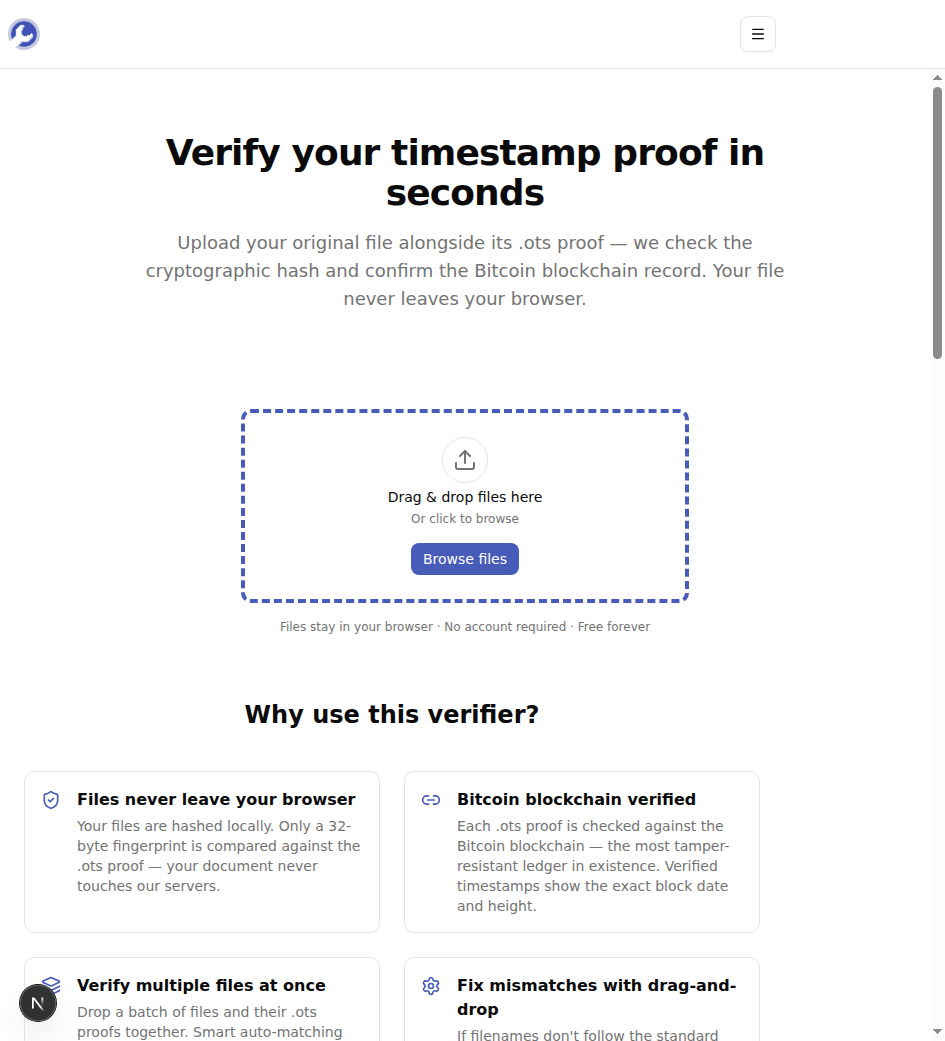
Pull up the MyTools timestamp verifier. It's a single drop zone — no login wall, and no upload bar, because your file is read locally and never sent to a server.
Step 2: Drop in the file and its proof
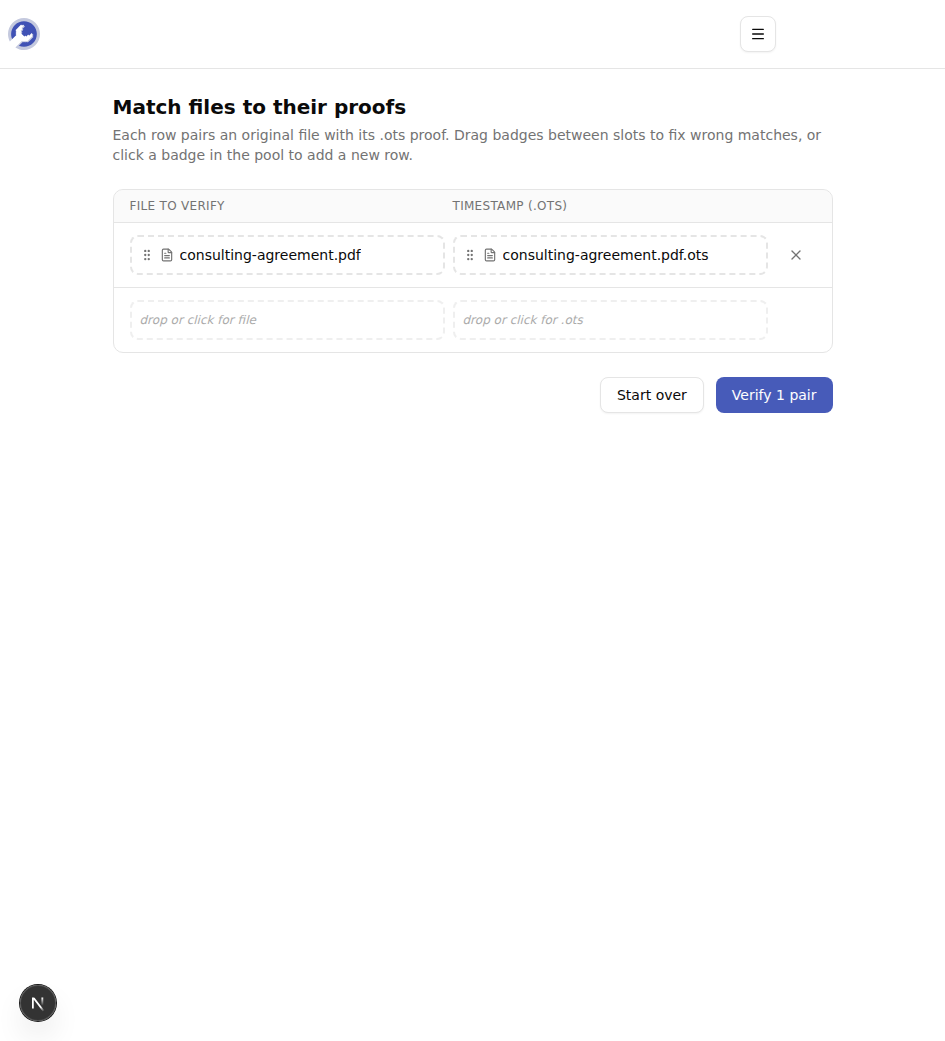
Drag both the original file and the .ots proof onto the zone — or select them together with "Browse files." The tool auto-pairs each document with its proof by name, so consulting-agreement.pdf lines up with consulting-agreement.pdf.ots automatically. If a pairing looks wrong, drag the badge into the right slot. Confirm the match and hit verify.
Step 3: Read the result
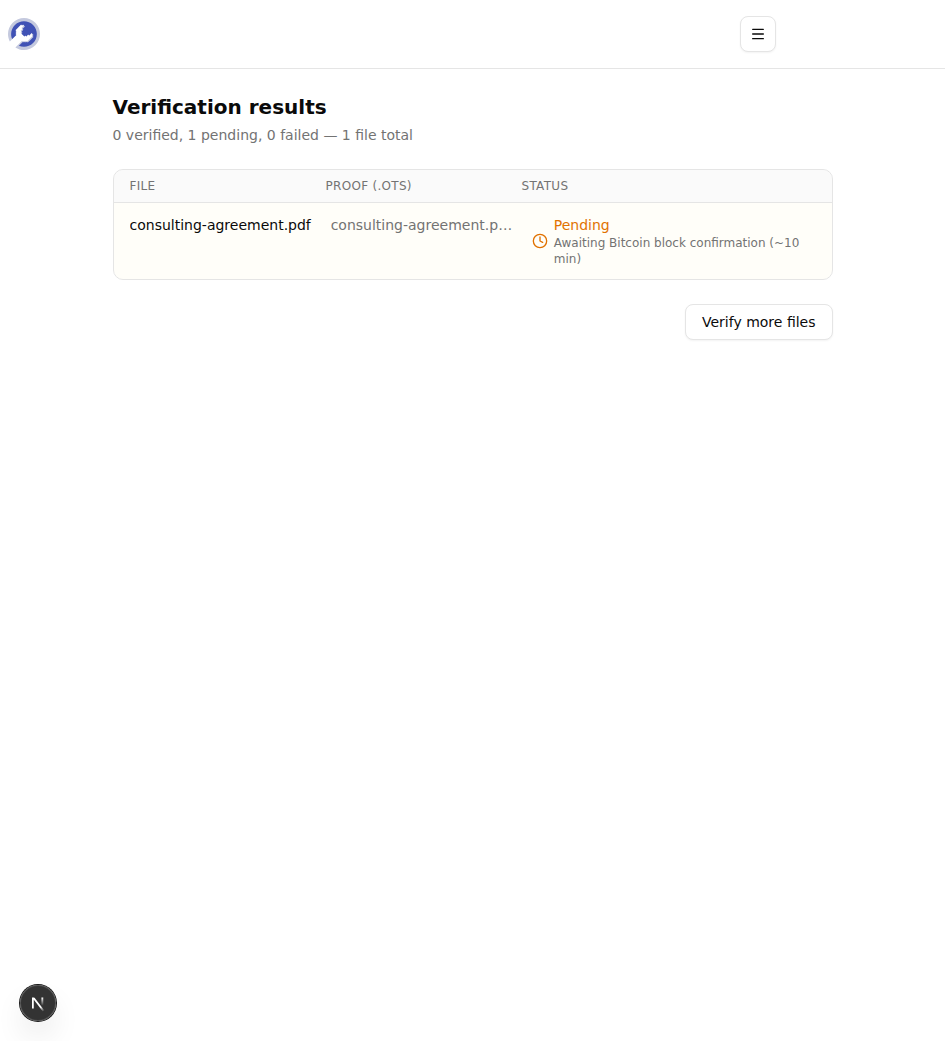
Your browser computes the file's SHA-256 hash on the spot, then checks that fingerprint against both the .ots proof and the Bitcoin blockchain. A status lands within a few seconds.
What the Four Statuses Actually Mean
The result table is the whole point of the tool, so it's worth knowing what each status tells you:
- Verified — the file's hash matches the proof, and the proof is anchored in a confirmed Bitcoin block. You'll see the block date and block height. This is the strong claim: the file demonstrably existed before that block was mined, and no one — not even you — can backdate it.
- Pending — the proof is cryptographically valid, but the Bitcoin transaction that anchors it hasn't been confirmed on-chain yet. This is normal for a proof made in the last hour or so; confirmation usually arrives within one block (~10 minutes), after which the same proof verifies as a full "Verified." Nothing is wrong — it just isn't final yet.
- Mismatch — the file's hash does not match the hash recorded in the proof. The proof is fine; the file isn't the one it was made for.
- Error — the
.otsfile couldn't be parsed, or a calendar/blockchain lookup failed. Re-check that you uploaded a real.otsproof and try again.
The Most Common Reason Verification Fails
Nine times out of ten, a Mismatch is not tampering — it's the wrong version of the file. A timestamp commits to an exact sequence of bytes. These all break the match even though the content "looks" identical:
- Opening a PDF in an editor and saving it again (editors rewrite metadata)
- Exporting a photo through a different app, which re-compresses it
- A file that picked up a trailing newline or changed line endings after a round-trip through email or a cloud sync
If you hit a mismatch, hunt down the original file — the one that was on disk at the moment the .ots was created — and verify that. If you genuinely no longer have it, the proof can't be salvaged, because there's no way to reconstruct the exact bytes from the hash alone.
One more thing worth knowing: the .ots format is an open standard. A proof made with the official OpenTimestamps CLI, with opentimestamps.org, or with our own file timestamper all verify here identically. Verification never depends on the tool that created the proof — that independence is the entire reason the format is trustworthy.
Verifying a Whole Batch
If a client or colleague sends you a folder of files and proofs — say fifteen documents and fifteen .ots files — drop all thirty in at once. The verifier auto-matches them by filename and gives you a single status table: which are confirmed with Bitcoin dates, which are still pending, and which don't match. That last column is the useful one in an audit; it surfaces the one file someone quietly swapped or re-exported without you reading thirty hashes by hand.
Verifying a timestamp is the half of the process that actually settles an argument — the proof only matters because anyone can check it, independently, years later. Have a file and its .ots sitting in front of you? Verify your timestamp proof now →